Jasper Alblas
Jasper Alblas
Data Engineering • Analytics • Business Intelligence
Welcome to this walkthrough of the Traffic Analysis Essentials Room on TryHackMe. In this room we will learn about the essentials of Network Security and Traffic Analysis and take a step into probing network anomalies. Just like Cyber Threat Intelligence, Traffic Analysis is a must have foundation if you are dreaming of becoming a SOC Analyst.

https://tryhackme.com/r/room/trafficanalysisessentials
This room is part of the SOC Level 1 Path.
I am making these walkthroughs to keep myself motivated to learn cyber security, and ensure that I remember the knowledge gained by these challenges on HTB and THM.
Join me on learning cyber security. I will try and explain concepts as I go, to differentiate myself from other walkthroughs.
Now, let’s move on!
Network Security involves protecting data, applications, devices, and systems connected to a network, focusing on system design, operation, and management to ensure accessibility, integrity, continuity, and reliability. Traffic analysis, a subset of Network Security, examines network data to detect problems and anomalies. This room introduces the basics of Network Security and Traffic Analysis, preparing you for Traffic/Packet Analysis. Completing the “Network Fundamentals” module is recommended beforehand.
Answer: No answer needed
Network security revolves around two critical concepts: authentication and authorization. Authentication is the process of verifying a user’s or device’s identity to ensure it is legitimate. Once authenticated, authorization determines what level of access the authenticated entity has within the network. Together, these concepts form the foundation of network security by ensuring only the right entities access the right resources under the right conditions.
Network security operations contain three base control levels to ensure the maximum available security management:
There are two main approaches and multiple elements under these control levels. The most common elements used in network security operations are explained below.
Managed Security Services (MSS) help organizations lacking resources or expertise to handle specialized security needs. MSS are often outsourced to Managed Security Service Providers (MSSPs) or conducted in-house. They are cost-effective, easy to implement, and simplify security management.
Key MSS Elements:
MSS ensures efficient security management by leveraging expert services and tools.
Implementing policies and processes to standardize security practices is included in the Administrative control level.
Answer: Administrative
Load balancing includes optimizes resource usage by distributing tasks based on metrics, improving data processing flow.
Answer: No answer needed
Security Orchestration, Automation, and Response (SOAR) helps coordinate and automates tasks between various people, tools, and data within a single platform to identify anomalies, threats, and vulnerabilities. It also supports vulnerability management, incident response, and security operations.
Answer: No answer needed
Traffic Analysis involves intercepting, monitoring, and analyzing network data and communication patterns to identify network anomalies, threats, and performance issues. It serves both operational purposes (e.g., system availability and performance monitoring) and security purposes (e.g., detecting anomalies and suspicious activity).
Traffic analysis is one of the essential approaches used in network security, and it is part of multiple disciplines of network security operations listed below:
There are two main techniques used in Traffic Analysis:
Benefits of Traffic Analysis:
Despite advanced security tools and the rise of cloud computing, attackers continuously evolve their methods to bypass defenses. Network traffic provides raw, valuable data, even when encrypted, by revealing irregular patterns or behaviors. This makes traffic analysis a critical skill for security analysts to detect and respond to sophisticated threats.
Now you know what Traffic Analysis is and how it operates. Now use the static site to simulate a traffic analysis operation and find the flags.
Open the static site and you will be met by the following screen:
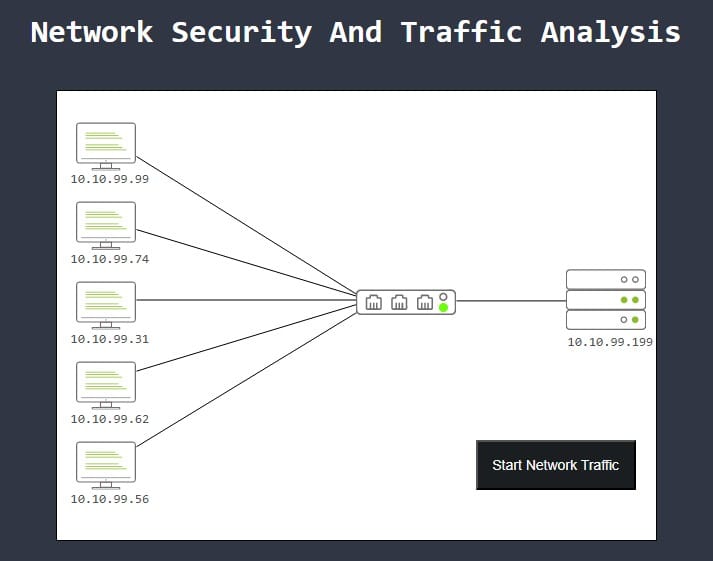
Start capturing traffic by pressing the black button. The traffic starts running but the network gets “killed”.
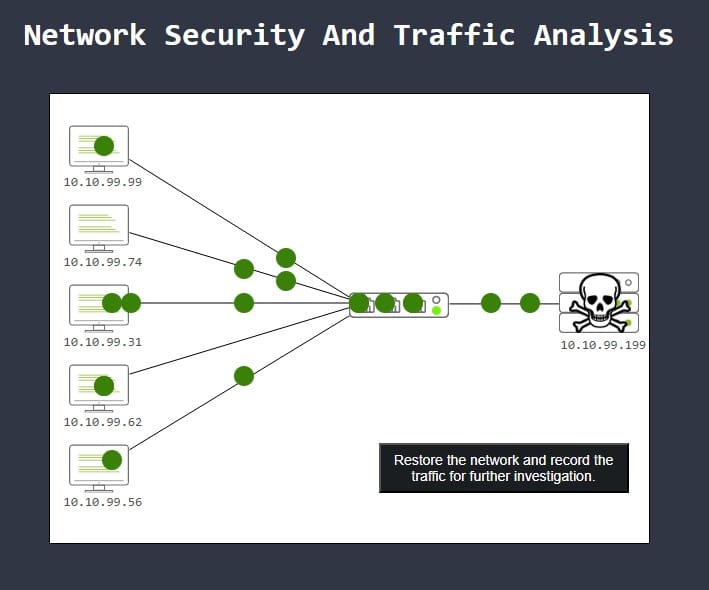
It is up to use to fix the network and find out what happened. Press the button and data will get collected.
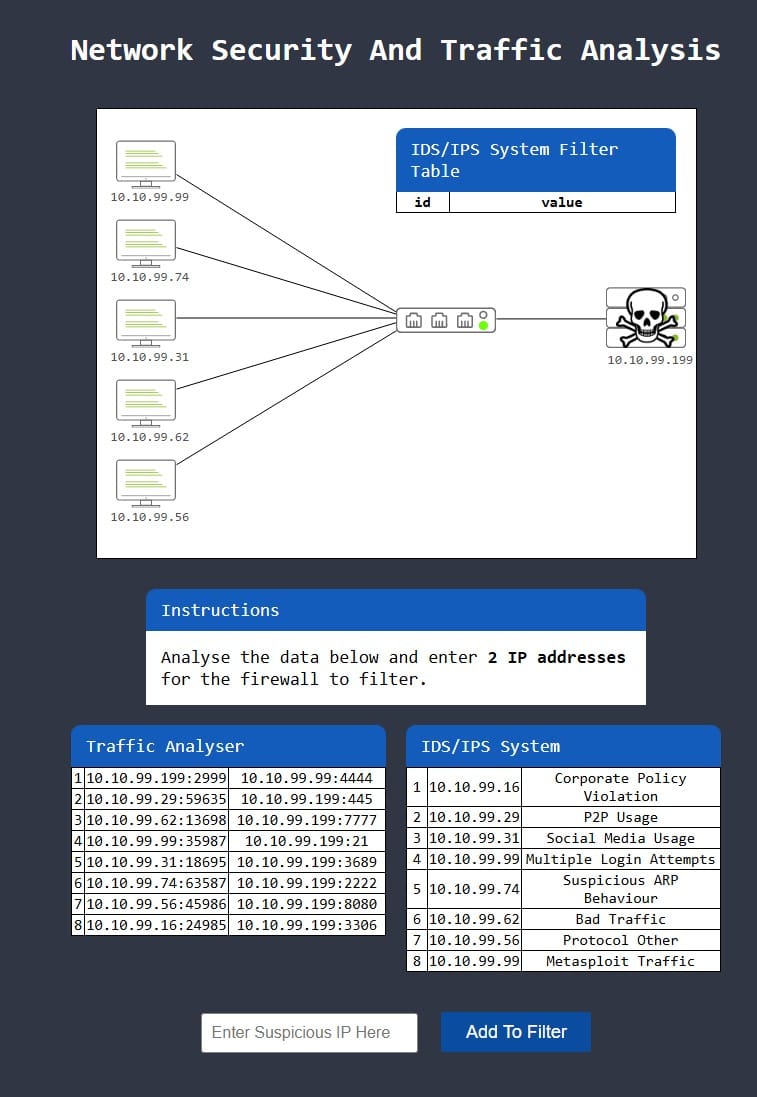
We have to enter 2 IP address that look malicious to make sure the firewall keeps them out. To answer this question we can look at the logged traffic, and information from the IDS/IPS system which helps us understand certain traffic patterns.
Looking at the table to the right we can see two sources which indicate malicious activity (although some of the others are also problematic for the company, fx. Corporate Policy Violation and Social Media Usage). The two sources I am referring to are 10.10.99.99 (Multiple Login Attempts, and Metasploit Traffic) and 10.10.99.74 (suspicious ARP behavior).
Add the IPs and retry running the traffic, but unfortunately 10.10.99.74 is not the right target, and there is still bad traffic (red dots) coming from 10.10.99.62, which is logged by the IDS/IPS system as indicating Bad Traffic.
So the right IPs are 10.10.99.62 and 10.10.99.99. Enter these and restart traffic. You should have stopped all “red” traffic and receive the flag.
Answer: THM{PACKET_MASTER}
It is time for another challenge. This time we have to block 3 ports instead of 2 IP addresses:

Let’s have a quick look at the data. We should probably focus on the traffic from the suspicious IP addresses ( 10.10.99.62 and 10.10.99.99), and which ports they are targeting on our system. Here we can see that port numbers 7777 (target by 10.10.99.62) is definitely suspicious as it is not a common port to see being used. Port 21 (targeted by 10.10.99.99) is more difficult as it is used for FTP. But port 2222 (targeted by the suspicious ARP behavior from 10.10.99.74) is suspicious and not common.
Now that we have port 2222 and 7777, port 4444 looks similar and again this port is not commonly used. Let’s use those 3 ports. Yay:
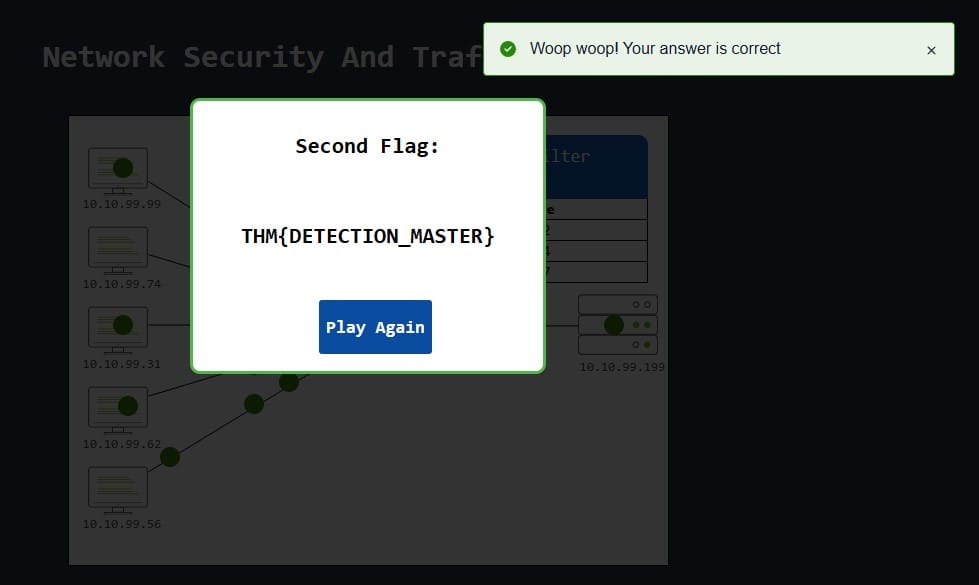
Answer: THM{DETECTION_MASTER}
Congratulations! You just finished the “Traffic Analysis Essentials” room.
In this room, we covered the foundations of the network security and traffic analysis concepts:
Answer: No answer needed
Congratulations on finishing this walkthrough of the TryHackMe Junior Security Analyst Intro room. This was a quick appetizer on the stuff we will learn on the SOC Level 1 Path.
I hope you enjoyed this walkthrough. Come back soon for more walkthroughs of rooms on TryHackMe and HackTheBox, and other Cybersecurity discussions.
Read more of my walkthroughs here.
You are welcome to share my article with friends 🙂
I would be even more grateful if you support me by buying me a cup of coffee:

I learned a lot through HackTheBox’s Academy. If you want to sign up, you can get extra cubes, and support me in the process, if you use the following link: